Ask
Overview
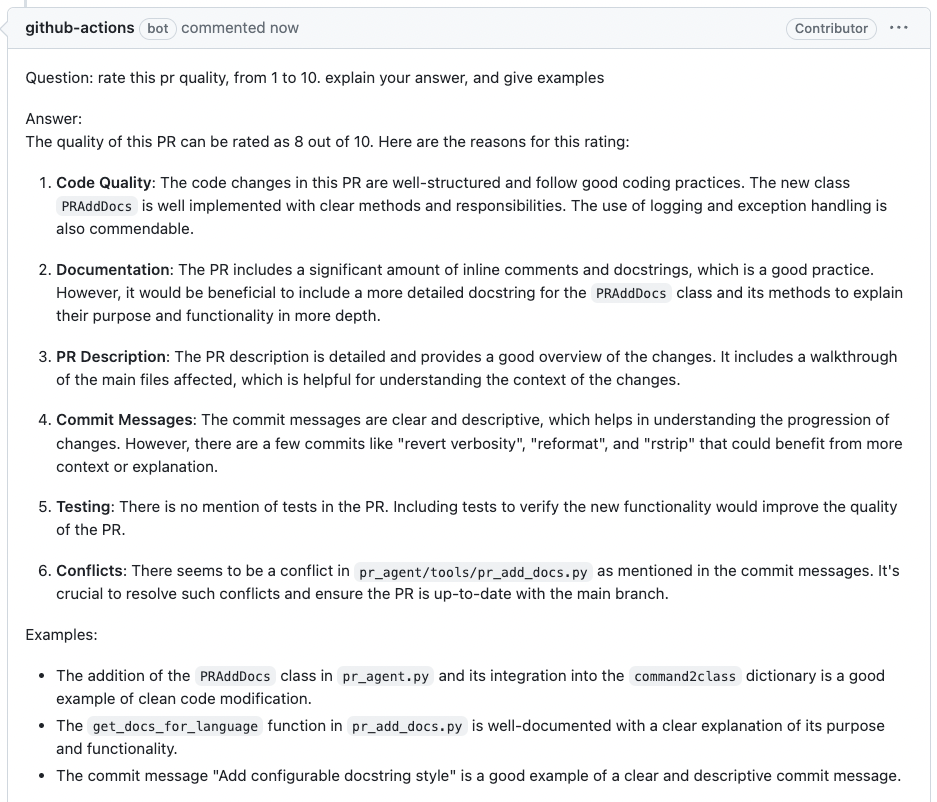
The ask command answers questions about the PR, based on the PR code changes. Make sure to be specific and clear in your questions.
It can be invoked manually by commenting on any PR:
/ask "..."
Example usage

Repository instructions
Top-level /ask can use the same repository instruction files as /review, /describe, and /improve.
For example, ask whether a migration follows the rollback rules in an existing architecture decision record:
[config]
repo_context_files = ["AGENTS.md", "docs/adr/database-migrations.md"]
/ask "Does this migration follow our rollback and compatibility rules?"
Like /review, /describe, and /improve, top-level /ask reads AGENTS.md from the repository root by default.
Set config.repo_context_files = [] in the root repository settings to disable repository instructions for all commands.
Comment arguments cannot change the configured file list.
The existing repository context settings
control file selection, source branches, imports, and line limits. Files come from the repository's default branch unless
configured otherwise. Providers without repository file access skip this context; missing or empty files are also skipped.
This behavior does not affect /ask_line.
The question, selected discussion history, and packed diff keep their existing token budget. The instruction block,
already bounded by repo_context_max_lines, is included only if it fits in the remaining model context in full.
Otherwise, /ask keeps its original prompt and adds a short omission notice to the answer. It does not retry another model
just to fit instructions. Normal model retries reconsider the original instruction block without reading the files again.
Including repository instructions can add repository API reads and input tokens, but does not add a separate model request.
Ask lines
You can run /ask on specific lines of code in the PR from the PR's diff view. The command will answer questions based on the code changes in the selected lines.
For line comments handled by the GitHub App, GitHub Actions, or GitLab webhook, /ask_question is an alias of /ask.
Start the comment with /ask, /ask_question, or /ask_line after any leading whitespace;
these command names are case-insensitive. Other tokens such as /asking are not Ask commands.
Azure DevOps accepts lowercase /ask_question for the same thread and line handling as /ask;
its webhook command names remain case-sensitive.
- Click on the '+' sign next to the line number to select the line.
- To select multiple lines, click on the '+' sign of the first line and then hold and drag to select the rest of the lines.
- write
/ask "..."in the comment box and pressAdd single commentbutton.
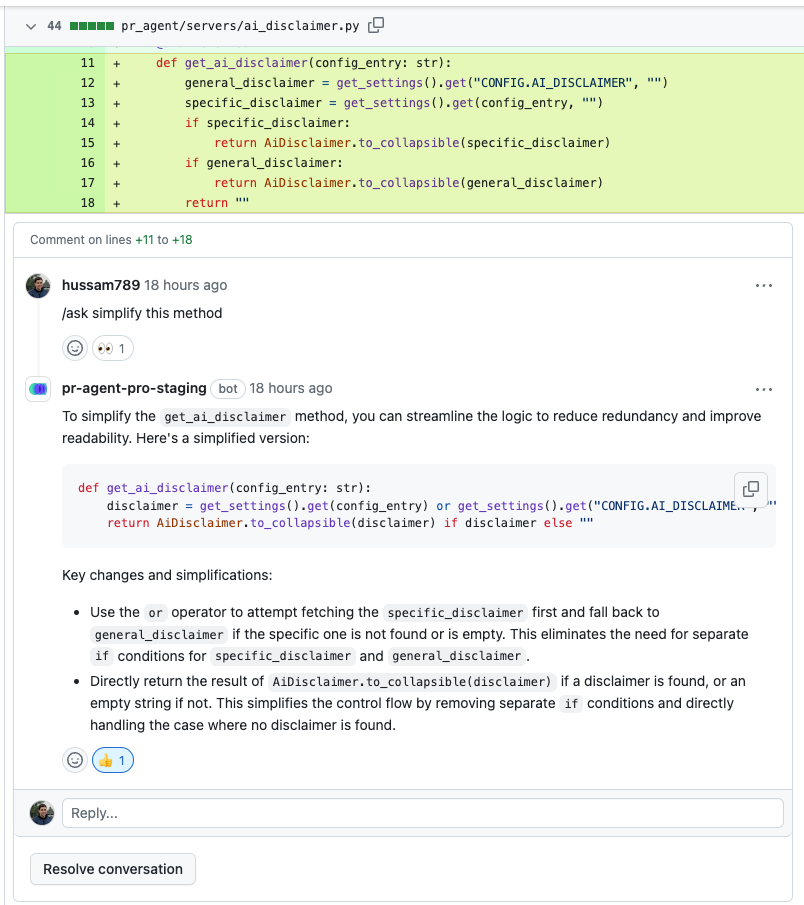
If no matching diff hunk is found for the selected lines, the command explains this without calling a model.
In GitHub Actions, a file comment whose first non-whitespace token is /ask or /ask_question uses that file's
complete diff as context. These two command names are case-insensitive.
The existing file filters and input budgets still apply. If the file has no analyzable diff, or the question cannot
be prepared within the configured input budget, the command explains this without calling a model.
The answer is posted in the original file-comment thread with a link to the question.
Earlier replies are included when pr_questions.use_conversation_history is enabled and the input budget allows.
Text resembling command options is treated as part of the question.
With pr_questions.use_conversation_history=true (the default), line questions on GitHub, GitLab, and Azure DevOps
can include earlier comments from the same thread. Azure DevOps also supports history for threaded top-level questions.
Other questions are answered independently.
On GitLab, this reads the selected discussion before answering, adding an API request and potentially more model input
tokens, but no separate model request. Set pr_questions.use_conversation_history=false to answer without earlier
comments. Line questions still require a matching hunk in the current diff.
Ask on images
You can also ask questions about images that appear in the comment, where the entire PR code will be used as context.
The basic syntax is:
/ask "..."

[Image](https://real_link_to_image)
where https://real_link_to_image is the direct link to the image.
Note that GitHub has a built-in mechanism of pasting images in comments. However, pasted image does not provide a direct link. To get a direct link to an image, we recommend using the following scheme:
-
First, post a comment that contains only the image:
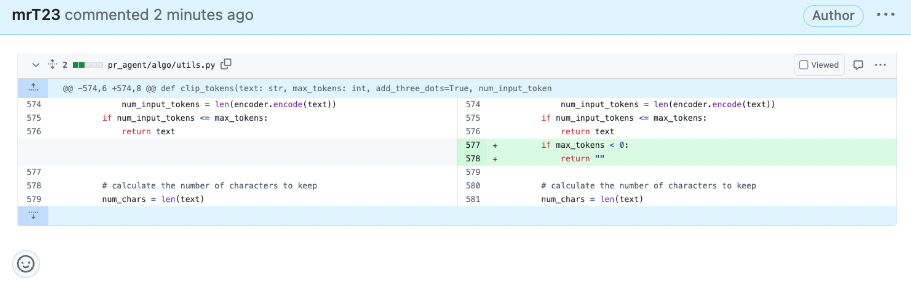
-
Quote reply to that comment:
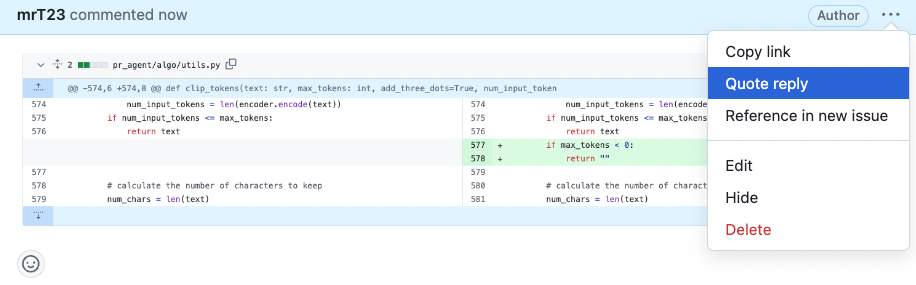
-
In the screen opened, type the question below the image:
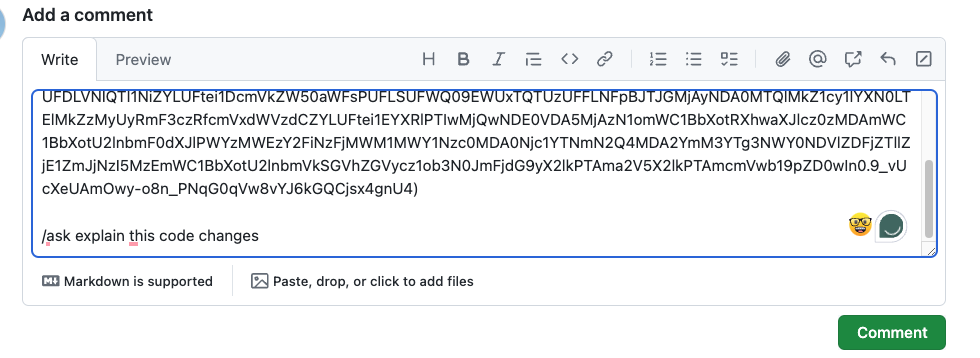
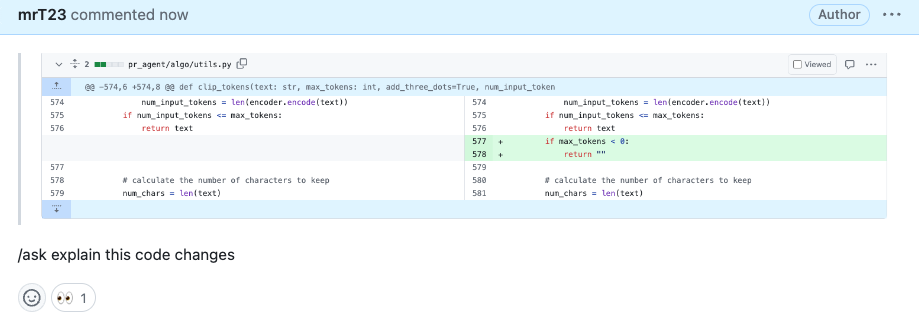
-
Post the comment, and receive the answer:
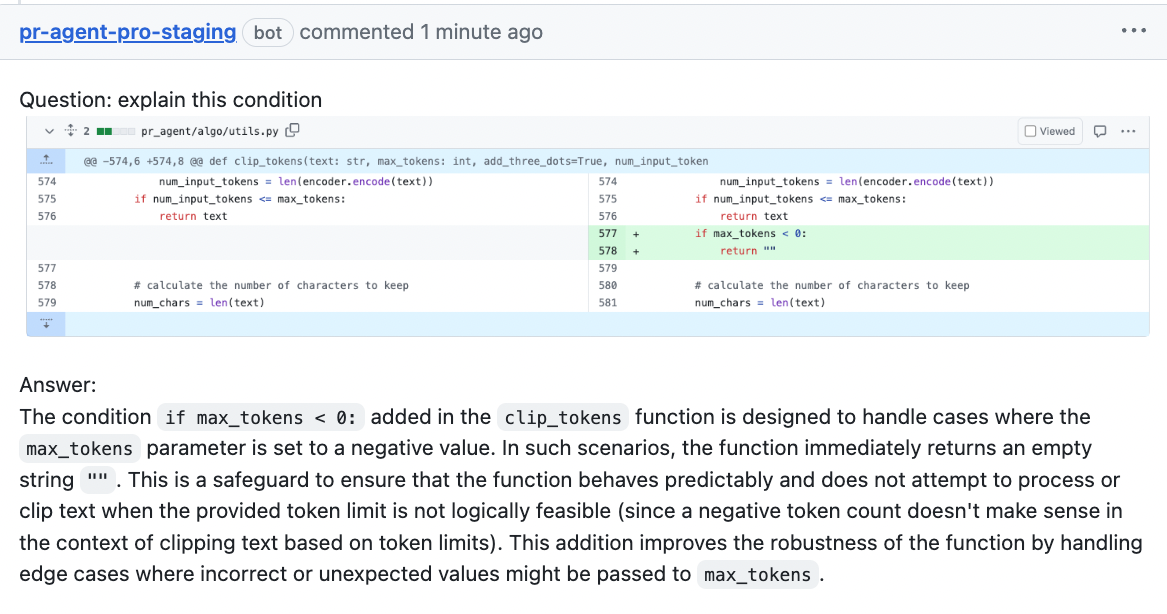
See a full video tutorial here
Linked ticket context
Enable linked ticket context when asking how a PR satisfies an issue's requirements or acceptance criteria:
[pr_questions]
use_ticket_context = true
Set this in host or root repository configuration. PR comment/CLI arguments and per-directory files cannot enable it because ticket integrations use the operator's credentials.
This is disabled by default and applies to top-level /ask and ask_question, not inline /ask_line questions.
It uses the same ticket integrations, credentials, reference formats,
access checks and fetch limits as /review and /describe. Tickets are discovered from the PR/MR metadata;
links written only in the question are not additional ticket sources. This option is independent of
pr_reviewer.require_ticket_analysis_review.
Ticket integrations use the operator's configured access policy, not the asker's personal ticket credentials.
For Jira, the host-controlled jira.project_keys allowlist still applies ([] disables lookups);
configure only projects whose ticket content may appear in PR answers.
Ticket content is fetched once per command, after an analyzable diff fits. It adds API reads and input tokens when enabled and uses the existing model request. Unavailable tickets are skipped. Each model attempt includes only whole ticket records that fit after the existing question, conversation history and selected diff, so ticket context does not displace code already selected for the answer. Large tickets may be omitted, including all tickets when there is no room. The usual diff-based answer remains available in that case.
Configuration options
General options
| ask_heading |
Plain-text heading for top-level /ask answers. The default is Ask.
Markdown renderers escape punctuation to keep the surrounding formatting and ❓ emoji fixed,
while plain-text converters publish the configured text without escape characters.
This does not affect /ask_line replies or the Answer section heading.
|
| extra_instructions | Optional extra instructions to the command. For example: "Do not answer questions that ask to rate PR quality on a scale of 1 to 10. Instead, tell the user this type of question is not allowed." |
| enable_help_text | If set to true, the command will display a help text in the comment. Default is false. |
| use_conversation_history | If set to true, the command will use the conversation history from the same thread when answering questions on specific code lines (GitHub, GitLab, and Azure DevOps) or threaded top-level questions (Azure DevOps only). Default is true. |
| use_ticket_context | Include linked ticket content in top-level questions using the remaining prompt budget. Default is false. See Linked ticket context. |
Example usage in a configuration file:
[pr_questions]
ask_heading = "Architecture Question"
extra_instructions = "Do not answer questions that ask to rate PR quality on a scale of 1 to 10."
The heading above renders as ### **Architecture Question** ❓.
Example usage in a PR comment:
/ask "What does this change do?" --pr_questions.extra_instructions="Answer in one short paragraph."