Ask
Overview
The ask tool answers questions about the PR, based on the PR code changes. Make sure to be specific and clear in your questions.
It can be invoked manually by commenting on any PR:
/ask "..."
Example usage

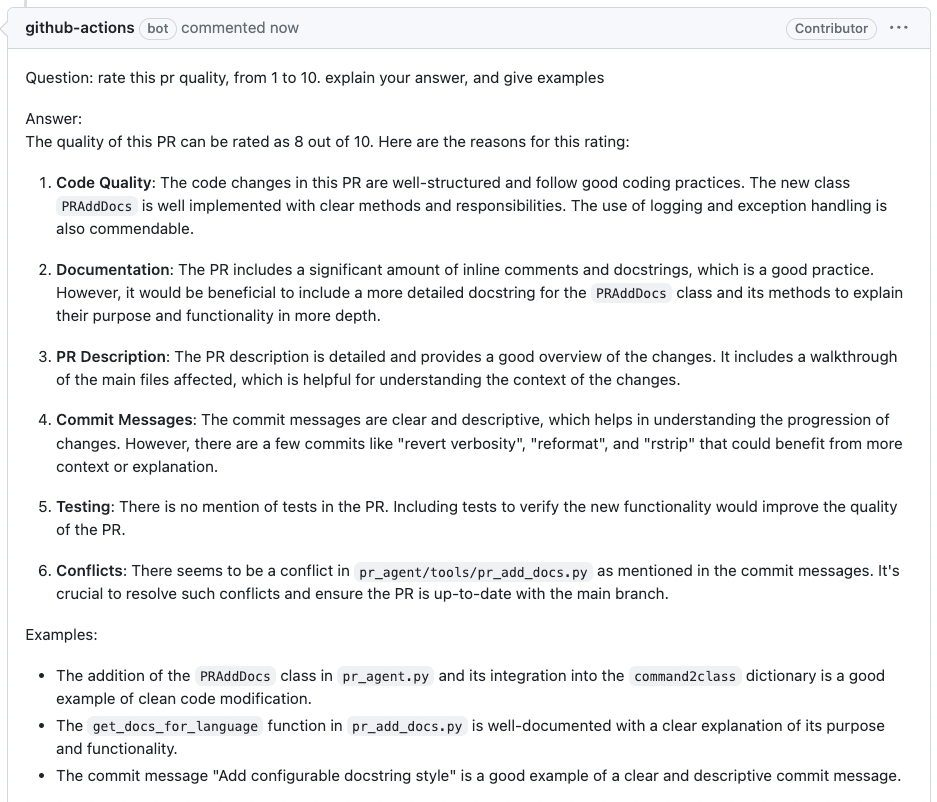
Ask lines
You can run /ask on specific lines of code in the PR from the PR's diff view. The tool will answer questions based on the code changes in the selected lines.
- Click on the '+' sign next to the line number to select the line.
- To select multiple lines, click on the '+' sign of the first line and then hold and drag to select the rest of the lines.
- write
/ask "..."in the comment box and pressAdd single commentbutton.
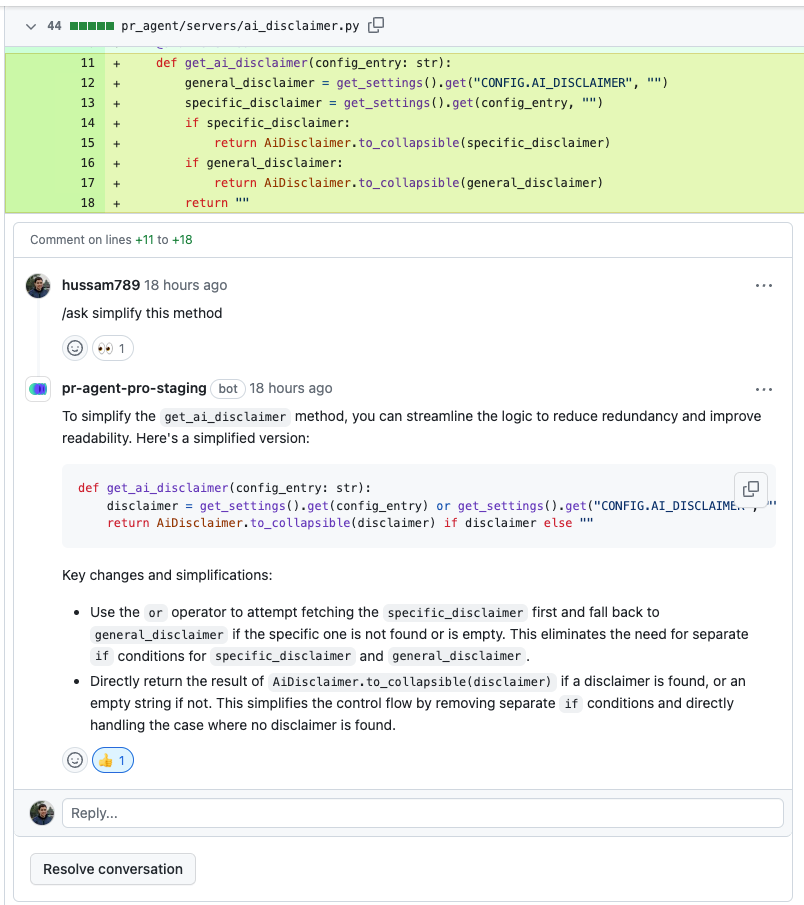
Note that the tool does not have "memory" of previous questions, and answers each question independently.
Ask on images
You can also ask questions about images that appear in the comment, where the entire PR code will be used as context.
The basic syntax is:
/ask "..."

[Image](https://real_link_to_image)
where https://real_link_to_image is the direct link to the image.
Note that GitHub has a built-in mechanism of pasting images in comments. However, pasted image does not provide a direct link. To get a direct link to an image, we recommend using the following scheme:
1. First, post a comment that contains only the image:
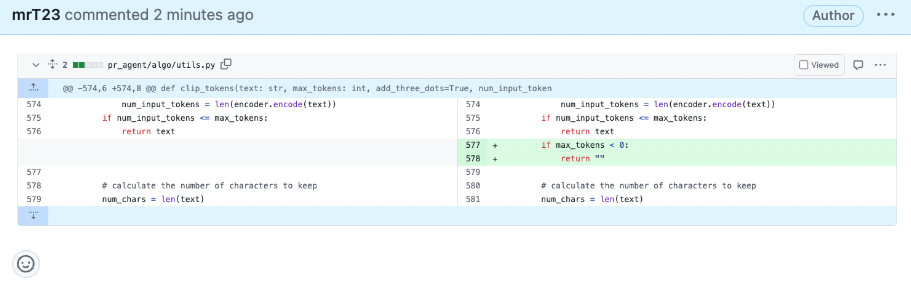
2. Quote reply to that comment:
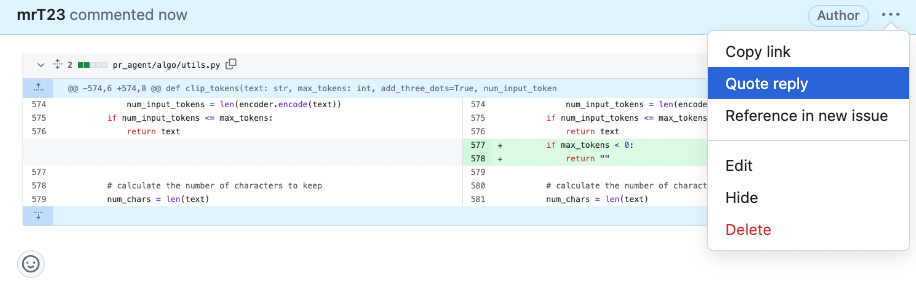
3. In the screen opened, type the question below the image:
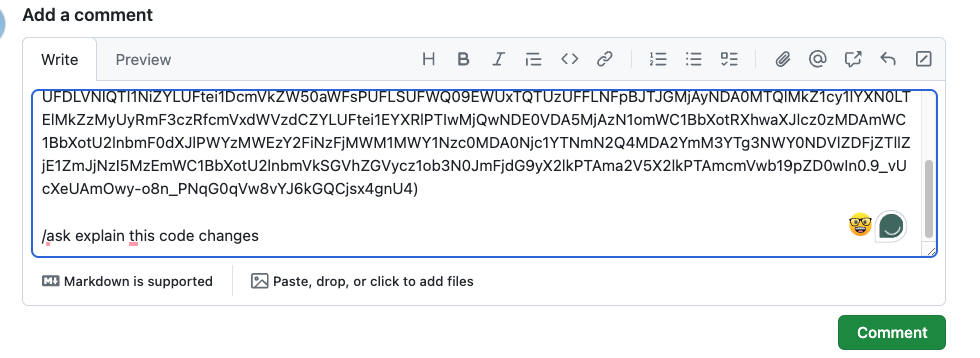
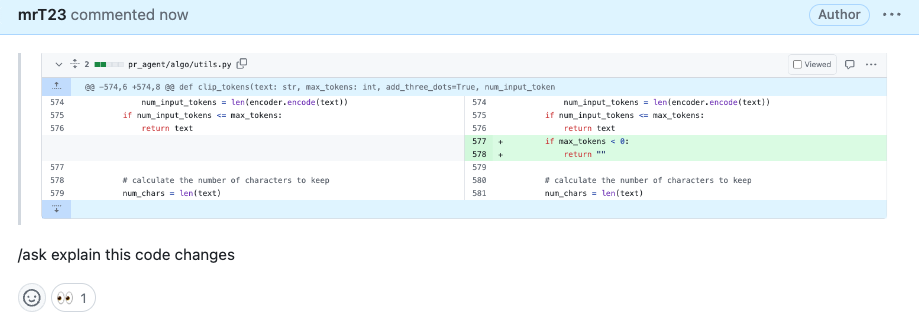
4. Post the comment, and receive the answer:
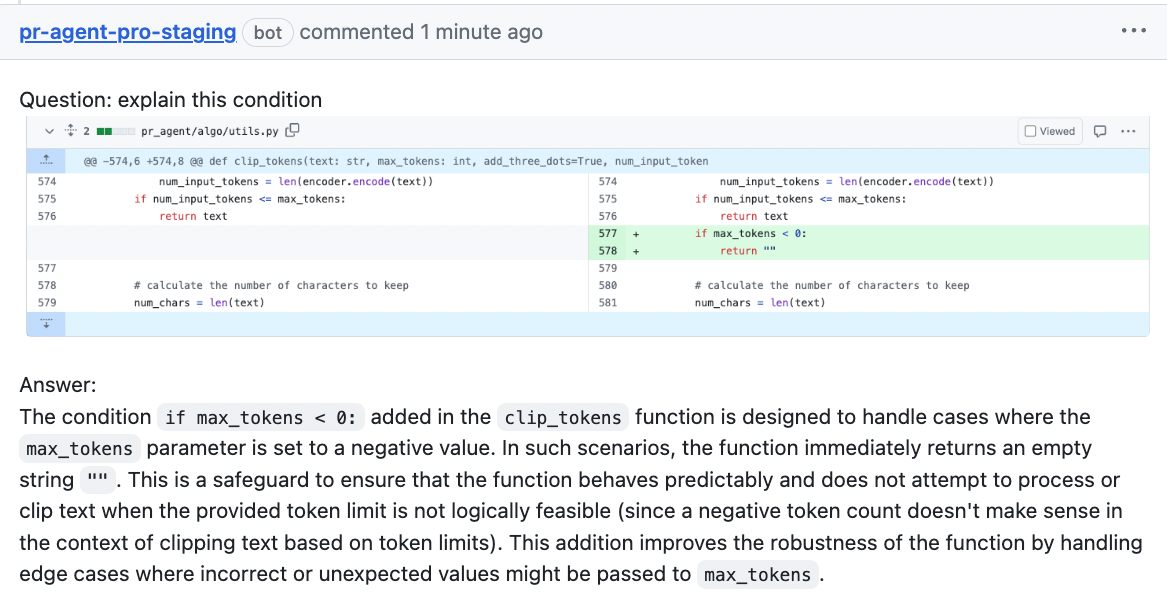
See a full video tutorial here
Configuration options
General options
| ask_heading |
Plain-text heading for top-level /ask answers. The default is Ask.
Markdown renderers escape punctuation to keep the surrounding formatting and ❓ emoji fixed,
while plain-text converters publish the configured text without escape characters.
This does not affect /ask_line replies or the Answer section heading.
|
| extra_instructions | Optional extra instructions to the tool. For example: "Do not answer questions that ask to rate PR quality on a scale of 1 to 10. Instead, tell the user this type of question is not allowed." |
| enable_help_text | If set to true, the tool will display a help text in the comment. Default is false. |
| use_conversation_history | If set to true, the tool will use the conversation history when answering questions on specific code lines (GitHub only). Default is true. |
Example usage in a configuration file:
[pr_questions]
ask_heading = "Architecture Question"
extra_instructions = "Do not answer questions that ask to rate PR quality on a scale of 1 to 10."
The heading above renders as ### **Architecture Question** ❓.
Example usage in a PR comment:
/ask "What does this change do?" --pr_questions.extra_instructions="Answer in one short paragraph."