Help Docs
/help_docs is currently disabledAs of v0.36.1, the /help_docs command is temporarily disabled as a mitigation for a
credential-exposure vulnerability (#2445):
the command accepted an untrusted runtime override of its git clone target, and the clone-URL
host validation only checked substring containment, so a host that merely contained the
allowed host could receive the git provider token.
The command is not registered in PRAgent, so invoking it has no effect on any provider. The
page below documents the tool as it behaves once it is re-enabled.
Overview
The help_docs tool can answer a free-text question based on a git documentation folder.
It can be invoked manually by commenting on any PR or Issue:
/help_docs "..."
Or configured to be triggered automatically when a new issue is opened.
The tool assumes by default that the documentation is located in the root of the repository, at /docs folder.
However, this can be customized by setting the docs_path configuration option:
[pr_help_docs]
repo_url = ""                 # The repository to use as context
docs_path = "docs"            # The documentation folder
repo_default_branch = "main"  # The branch to use in case repo_url overwritten
See more configuration options in the Configuration options section.
Example usage
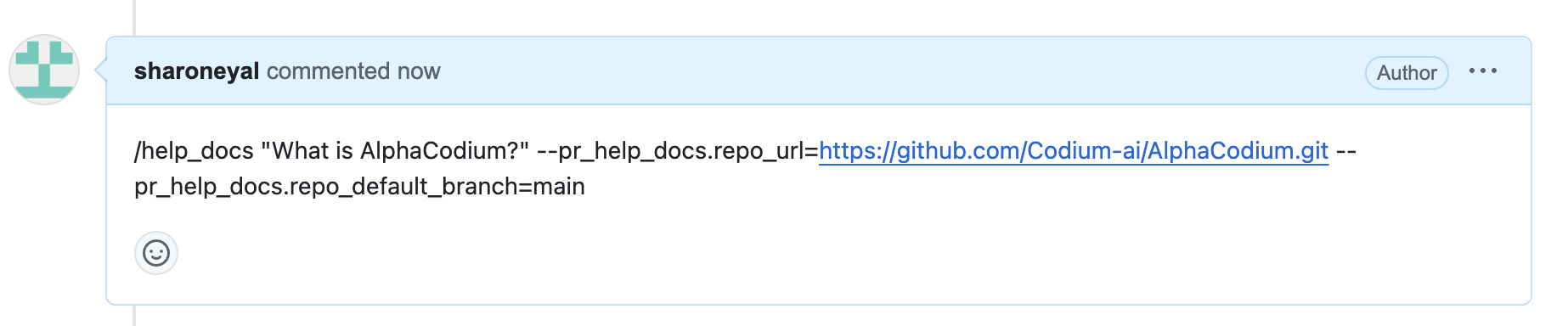
Asking a question about another repository
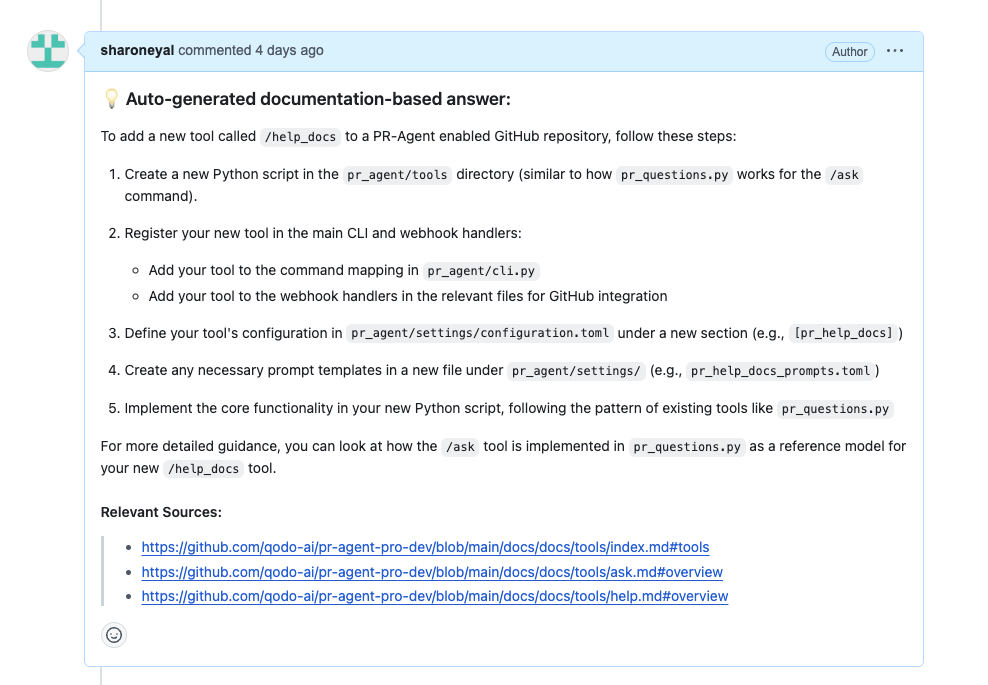
Response:
Run automatically when a new issue is opened
You can configure PR-Agent to run help_docs automatically on any newly created issue.
This can be useful, for example, for providing immediate feedback to users who open issues with questions on open-source projects with extensive documentation.
Here's how:
-
Follow the steps depicted under Run as a GitHub Action to create a new workflow, such as:
.github/workflows/help_docs.yml: -
Edit your yaml file to the following:
name: Run pr agent on every opened issue, respond to user comments on an issue

#When the action is triggered
on:
  issues:
    types: [opened] #New issue

# Read env. variables
env:
  GITHUB_TOKEN: ${{ secrets.GITHUB_TOKEN }}
  GITHUB_API_URL: ${{ github.api_url }}
  GIT_REPO_URL: ${{ github.event.repository.clone_url }}
  ISSUE_URL: ${{ github.event.issue.html_url || github.event.comment.html_url }}
  ISSUE_BODY: ${{ github.event.issue.body || github.event.comment.body }}
  OPENAI_KEY: ${{ secrets.OPENAI_KEY }}

# The actual set of actions
jobs:
  issue_agent:
    runs-on: ubuntu-latest
    if: ${{ github.event.sender.type != 'Bot' }} #Do not respond to bots

    # Set required permissions
    permissions:
      contents: read    # For reading repository contents
      issues: write     # For commenting on issues

    steps:
      - name: Run PR Agent on Issues
        if: ${{ env.ISSUE_URL != '' }}
        uses: docker://pragent/pr-agent:latest
        with:
          entrypoint: /bin/bash #Replace invoking cli.py directly with a shell
          args: |
            -c "cd /app && \
            echo 'Running Issue Agent action step on ISSUE_URL=$ISSUE_URL' && \
            export config__git_provider='github' && \
                        export github__user_token=$GITHUB_TOKEN && \
            export github__base_url=$GITHUB_API_URL && \
            export openai__key=$OPENAI_KEY && \
            python -m pr_agent.cli --issue_url=$ISSUE_URL --pr_help_docs.repo_url="..." --pr_help_docs.docs_path="..." --pr_help_docs.openai_key=$OPENAI_KEY && \
            help_docs "$ISSUE_BODY"
- Following completion of the remaining steps (such as adding secrets and relevant configurations, such as
repo_urlanddocs_path) merge this change to your main branch. When a new issue is opened, you should see a comment fromgithub-actionsbot with an auto response, assuming the question is related to the documentation of the repository.
Configuration options
Under the section pr_help_docs, the configuration file contains options to customize the 'help docs' tool:
repo_url: If not overwritten, will use the repo from where the context came from (issue or PR), otherwise - use the given repo as context.repo_default_branch: The branch to use in case repo_url overwritten, otherwise - has no effect.docs_path: Relative path from root of repository (either the one this PR has been issued for, or above repo url).exclude_root_readme: Whether or not to exclude the root README file for querying the model.supported_doc_exts: Which file extensions should be included for the purpose of querying the model.